
Easypad®: Elegant Notes Widget4.4.2 - Get APK
You'll be able to download in few seconds.
Publisher Description
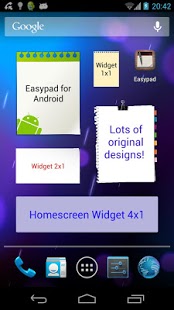
Need a handy notepad always with you? Would you like to write your appointments while talking with the phone? What about having sticky notes in your phone homescreen? Easypad® will help you organize your ideas in a simple and fast way with tons of nice features:
- Fast and easy to use
- Write as many pages as you want, keep all your ideas in one single notepad
- Automatic backup with restore points + backup preview
- Password protection! Protect your notes with a PIN code
- Copy, cut and paste
- Change the text color
- Add tags to your notepads
- Text align: left, center, right
- Create notes using and existing one as a template
- Change the note configuration at any time
- 9 exclusive high quality designs (24 in PRO version)
- Send your notes by SMS, email or even to your Dropbox :)
- Backup your notes by sending them to your email
- 3 font sizes: Small, Medium and Large (4 in PRO version)
- 7 different widget sizes: 1x1(S), 2x1, 2x2(M), 3x2, 3x3(L), 4x2, 4x4(XL)
- Add a shortcut in the notification bar to access quickly to all your notes
Exclusive PRO features:
* 24 exclusive notepad designs
* Save and load backup file from the SD card
* XL font size
* Send your notes to Evernote (if installed) with just one click
* Create notes at any time from the notification bar -> Very useful to write down your ideas while using other apps like the internet browser :)
The upgrade to obtain the new features is made as an in-app purchase. No need to install a new application :)
FAQ:
Q: How do I add a widget to the homescreen?
A: Once installed, go to your Android home screen/desktop, then, press for 2 or 3 seconds on any empty space. You will notice the "Widgets" option. Click on it and select "Easypad". You can choose between several widget sizes.
Q: When I try to create a note, I can only see a color selection screen. How to continue?
A: When creating a new note, in the note color selection screen, scroll down until seeing a button with a green "OK" symbol. Sometimes, in smaller screens, having so many options will hide it.
Q: How can I backup my notes?
A: Select any note -> Menu -> Backup
Q: Why is it not possible to move the app to the SD card?
A: Applications that make use of homescreen widgets cannot be moved to the SD card. If the SD card is unmounted, the widgets will stop working.
Q: I have purchased the PRO version but I need to install the application again. I am going to pay for it again?
A: Absolutely not. The purchase is made through the Android Market application which will "remember" all the purchases made using your account. Just press the "Get PRO" button to activate it again :)
Legal Notice: Easypad® is a registered trademark of movin'App.
About Easypad®: Elegant Notes Widget
The company that develops Easypad®: Elegant Notes Widget is movin'App. The latest version released by its developer is 4.4.2.
To install Easypad®: Elegant Notes Widget on your Android device, just click the green Continue To App button above to start the installation process. The app is listed on our website since 2016-06-25 and was downloaded 0 times. We have already checked if the download link is safe, however for your own protection we recommend that you scan the downloaded app with your antivirus. Your antivirus may detect the Easypad®: Elegant Notes Widget as malware as malware if the download link to com.movinapp.easypad is broken.
How to install Easypad®: Elegant Notes Widget on your Android device:
- Click on the Continue To App button on our website. This will redirect you to Google Play.
- Once the Easypad®: Elegant Notes Widget is shown in the Google Play listing of your Android device, you can start its download and installation. Tap on the Install button located below the search bar and to the right of the app icon.
- A pop-up window with the permissions required by Easypad®: Elegant Notes Widget will be shown. Click on Accept to continue the process.
- Easypad®: Elegant Notes Widget will be downloaded onto your device, displaying a progress. Once the download completes, the installation will start and you'll get a notification after the installation is finished.
Program Details
System requirements
Download information
Pricing
Version History
version 4.4.2
posted on 2016-06-25
v.4.4.2,- Added Portuguese translation,v.4.4.1,- Now you can password protect your notes! Go to the app settings to activate this cool feature :),- 3 more designs in the free version,- Added 5x5 widget,- Bug fixes
version 3.1.7
posted on 2013-06-01
Several fixes and updates
Disclaimer
External Download
We do not host Easypad®: Elegant Notes Widget on our servers. We did not scan it for viruses, adware, spyware or other type of malware. This app is hosted by Galad and passed their terms and conditions to be listed there. We recommend caution when installing it.
The APK Download link for Easypad®: Elegant Notes Widget is provided to you by apps112.com without any warranties, representations or guarantees of any kind, so access it at your own risk.
If you have questions regarding this particular app contact the publisher directly. For questions about the functionalities of apps112.com contact us.
